ISO 27001 Risk Assessment & SoA Toolkit (Excel) — risks in, Statement of Applicability out
A risk register that shows its method and a Statement of Applicability whose every justification cites it — the two documents a Stage 1 auditor reads first, kept in step by the workbook.
Score your information security risks on a documented method, pick the Annex A controls that treat them, and the Statement of Applicability writes its own first draft — every justification citing the risks behind it.
Instant download through Payhip · no delivery charge · 14-day full refund
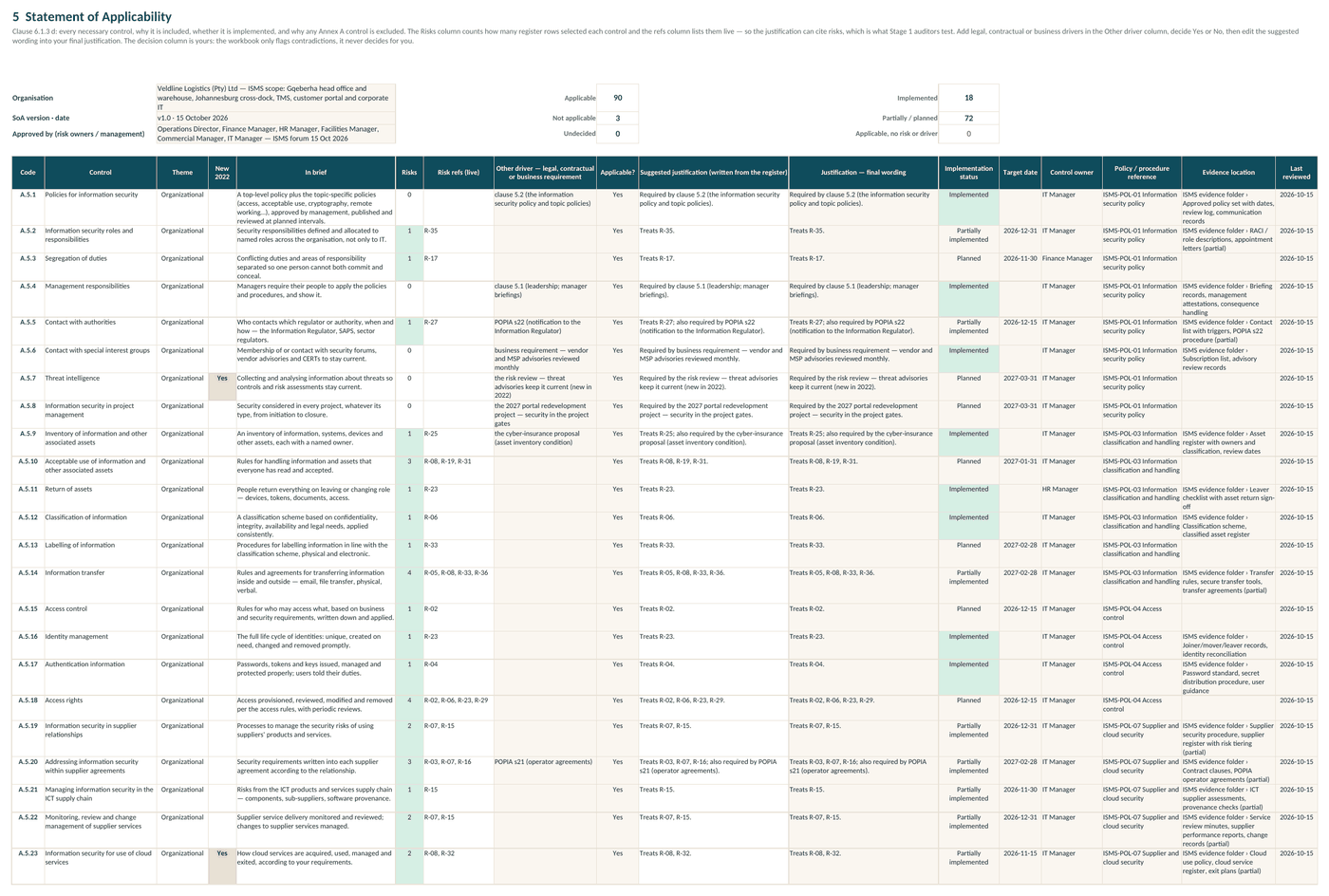
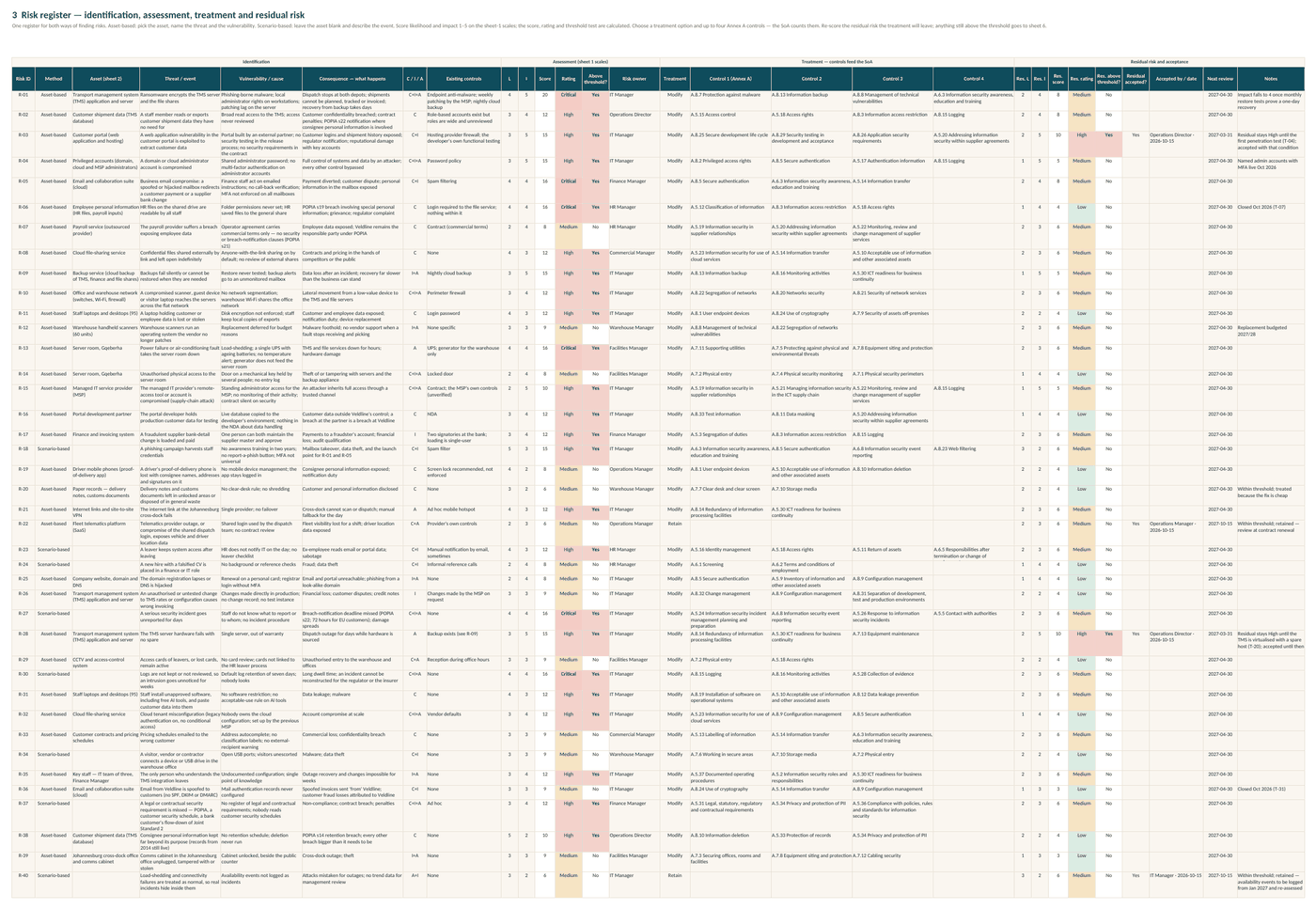
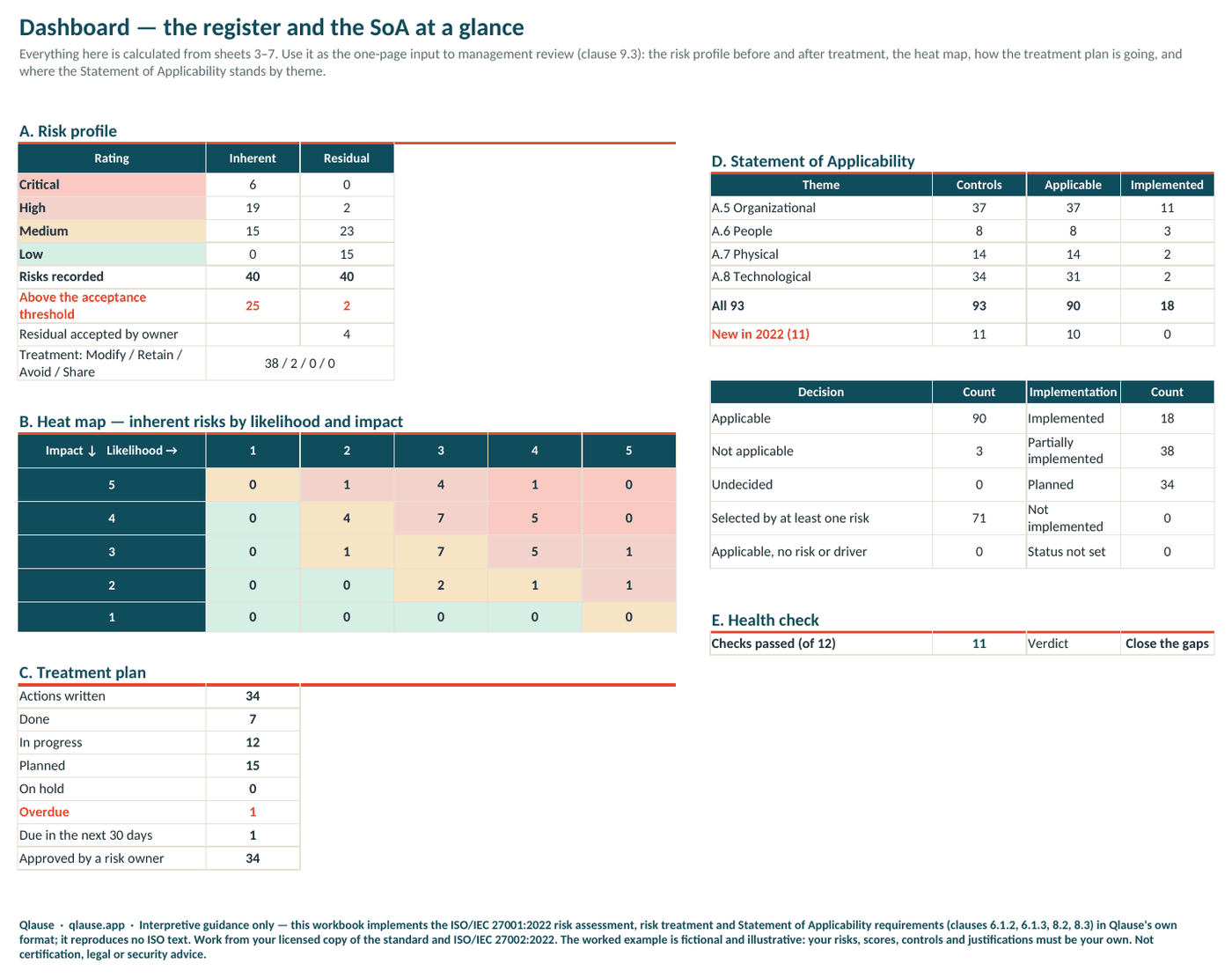
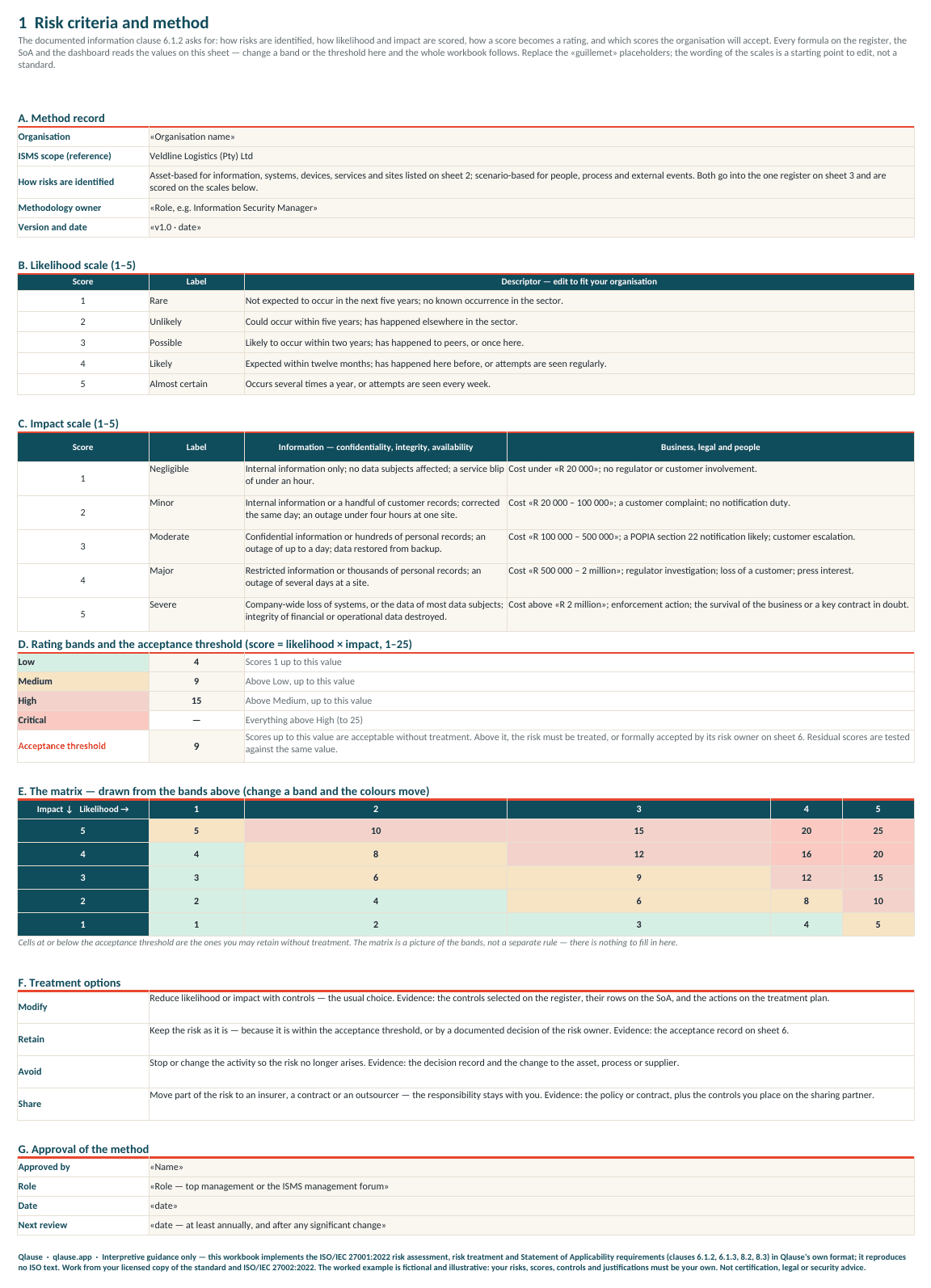
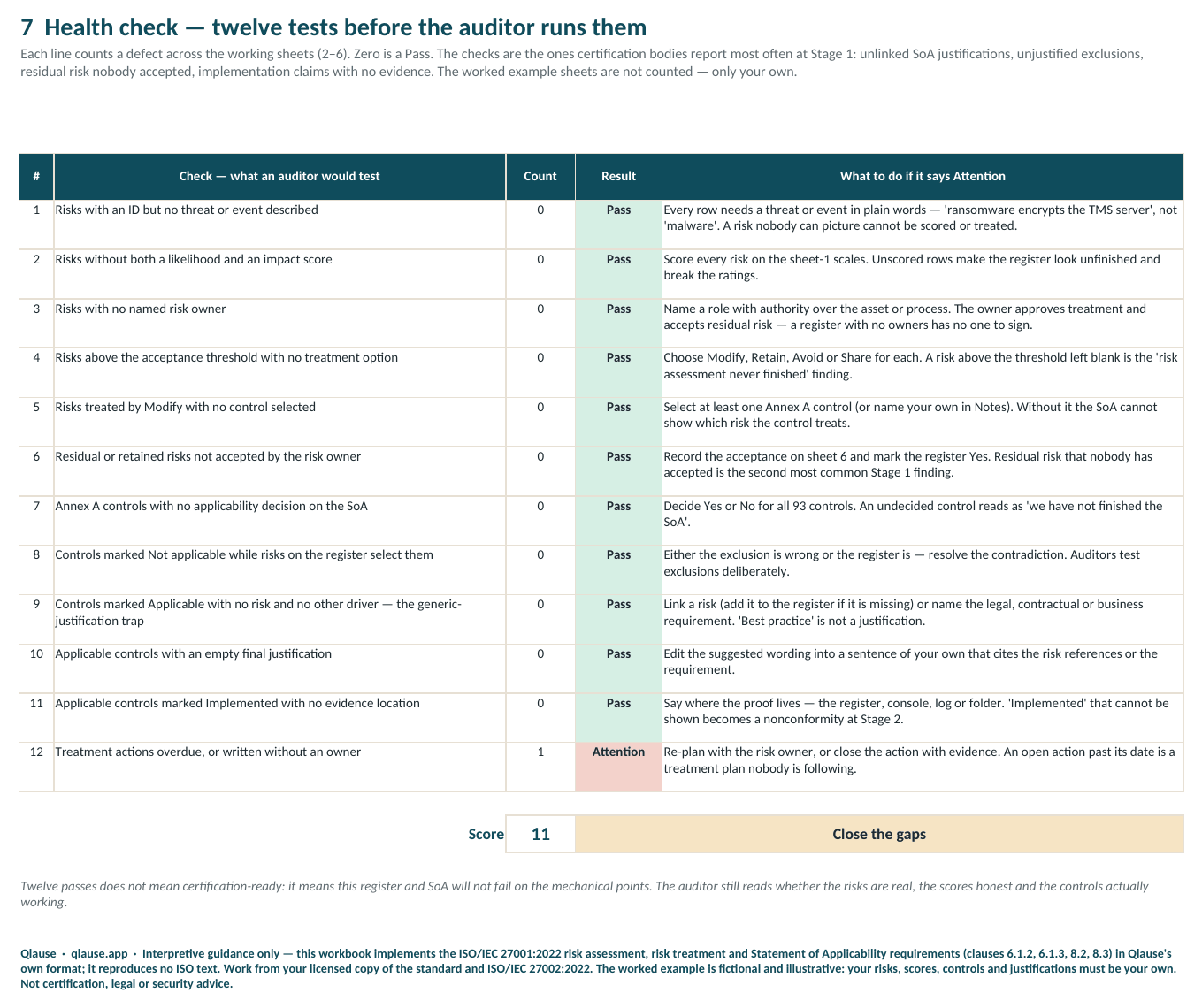
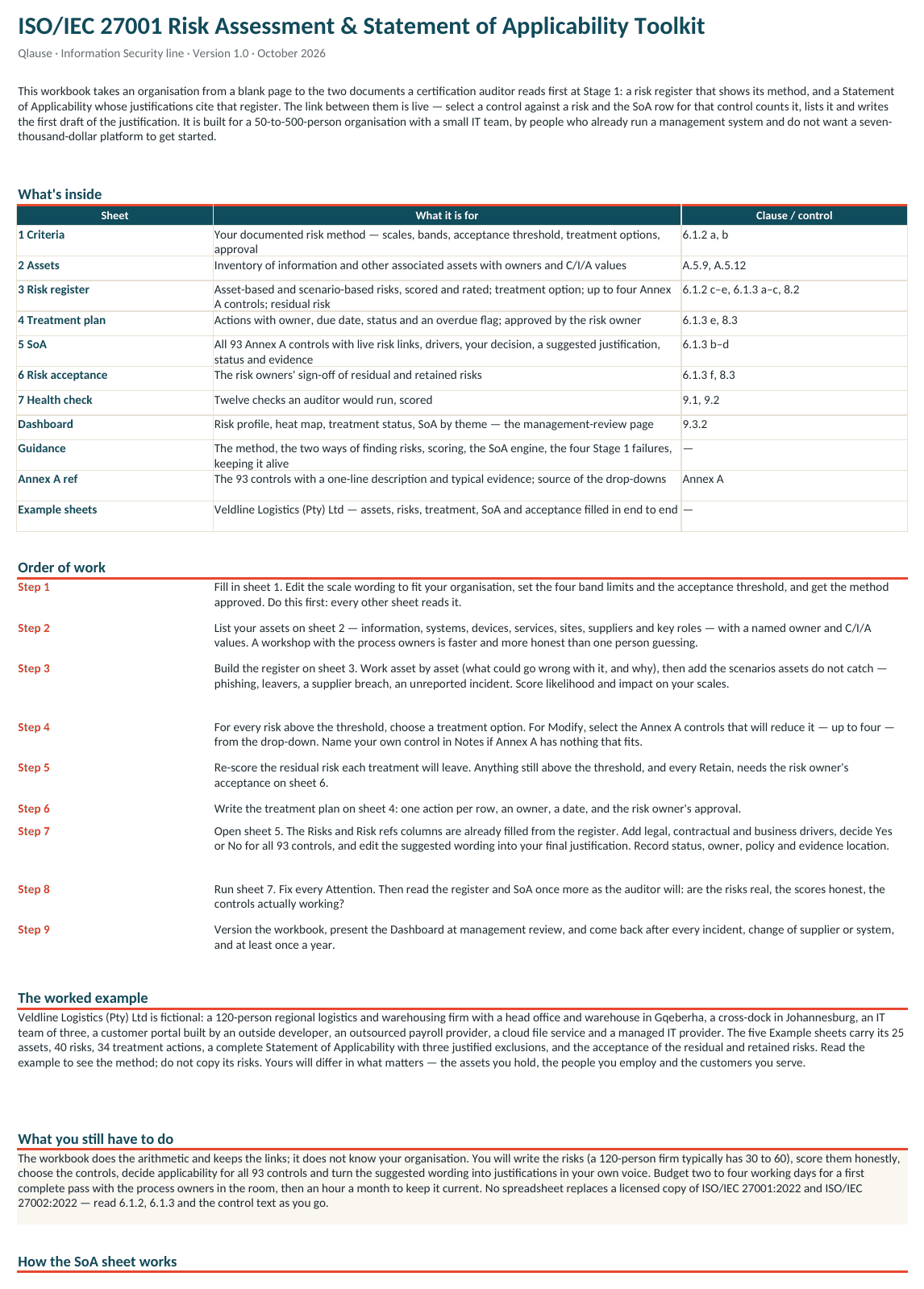
Real pages from the actual files — click any preview to enlarge.
What's inside
Risk criteria and method
Likelihood and impact scales you edit, four rating bands and an acceptance threshold, the 5×5 matrix drawn live from them, treatment options and the approval block — the documented information clause 6.1.2 asks for.
Asset inventory
One hundred rows for information, systems, devices, services, sites, suppliers and key roles, each with an owner, classification and C/I/A values. Feeds the register's asset drop-down.
Risk register (120 rows)
Asset-based and scenario-based risks in one list. Score, rating and 'above threshold?' calculated; treatment option; up to four Annex A controls from a drop-down; residual score, rating and acceptance.
Treatment plan
Actions with owner, due date and status; the risk text, selected controls and residual rating arrive from the register; a live OVERDUE / Due soon flag; the risk owner's approval date.
Statement of Applicability (93 controls)
Risks counted and listed per control, other drivers, your Yes/No decision, a suggested justification written from the register, your final wording, implementation status, owner, policy and evidence references — with contradictions flagged.
Risk acceptance
The risk owners' sign-off of residual and retained risks, with the register values pulled in.
Health check and Dashboard
Twelve auditor tests scored out of twelve; risk profile, heat map, treatment status and SoA by theme on one page for management review.
Guidance and Annex A reference
The method in eight moves, the two ways of finding risks, honest scoring, how the SoA sheet works, the four Stage 1 failures, acceptance, keeping it alive, a clause map — and the 93 controls with a one-line description and typical evidence each.
Worked example across five sheets
Veldline Logistics (Pty) Ltd, fictional: 25 assets, 40 risks, 34 treatment actions, the full SoA with three justified exclusions, and the acceptance record.
One Excel workbook, sixteen sheets.
A Statement of Applicability that cites its risks
Ninety controls applicable, three excluded with reasons an auditor can test, and every inclusion written as 'Treats R-…' from a forty-risk register — the opposite of a column of 'best practice'.
See it used

What you still have to do
The workbook does the arithmetic and keeps the register and the SoA in step; it does not know your organisation. You still write the risks (a 120-person firm typically has 30 to 60), score them honestly, choose the controls, decide applicability for all 93 controls and turn the suggested wording into justifications of your own — budget two to four working days for a first pass with the process owners in the room. The live risk-references column uses TEXTJOIN (Excel 2019 / Microsoft 365, or LibreOffice); in Excel 2016 that one column shows #NAME? while every count, rating and check still works. Written to the structure of ISO/IEC 27001:2022 in our own words — you need your own licensed copy of the standard and of ISO/IEC 27002:2022.
Who it's for
Quality, compliance and IT managers taking an organisation of 50 to 500 people to ISO/IEC 27001:2022 — especially those who already run ISO 9001 and want the risk register and the Statement of Applicability done properly without a compliance platform.
The details
- Works with
- Excel 2019 or later including Microsoft 365, or LibreOffice Calc 7 and later. Plain .xlsx — no macros, no add-ins, nothing to install. Excel 2016 opens it too; only the live risk-references column shows #NAME? there.
- Licence
- Licensed for your own and your organisation's use — every site and every user, with no per-user fees. Not for resale, redistribution or republication.
- Updates
- Free updates for 12 months after purchase: if the workbook is revised in that time, the new version reaches you as a Payhip product update.
- Refund
- If it isn't right for you, email hello@qlause.app within 14 days of purchase for a full refund. No reason needed.
Questions
Which risk method does it use?+
Both of the approaches ISO/IEC 27005 describes — asset-based (asset, threat, vulnerability) and scenario-based (start from a credible event). They sit in one register and are scored on the same 1–5 scales you define on the Criteria sheet; the acceptance threshold is yours to set.
Does the workbook decide which controls are applicable?+
No — it flags. The decision column is yours. The workbook counts and lists the risks that select each control, writes a suggested justification from them, and marks the two contradictions auditors test: a control excluded while risks select it, and a control included with no risk or requirement behind it.
Can I use controls that are not in Annex A?+
Yes. Annex A is the reference set the standard asks you to compare your selection against, so the drop-downs carry its 93 controls; a control from elsewhere goes in the risk's Notes and as an extra row at the foot of the SoA.
Does it include the text of the standard?+
No. Everything is written in our own words and points to clause numbers. You still need your own licensed copy of the standard to work against — from SABS or the ISO store.
Can the whole team use it?+
Yes. One purchase covers your organisation — every site and every user. What it doesn't cover is reselling it, handing it to other organisations or republishing it.
What if it isn't what I need?+
If it isn't right for you, email hello@qlause.app within 14 days of purchase for a full refund. No reason needed.
ISO 27001 Risk Assessment & SoA Toolkit (Excel) — risks in, Statement of Applicability out
Instant download · licensed for your whole organisation · 14-day full refund
Start free
Qlause toolkits are interpretive tools written in our own words — not a substitute for the standards, which you need to hold licensed copies of (from SABS or ISO). All templates & toolkits